How can I cancel my Nixplay Plus membership?
Last updated September 24, 2026
You can cancel your Nixplay Plus or Nixplay Lite membership at any time. You will retain your plan benefits until the end of your paid subscription period, at which point your account will revert to Nixplay Basic.
We very much hope that you will consider continuing as a Nixplay Plus or Nixplay Lite subscriber, enjoying benefits that help you to get the most from your photos and videos. For a reminder of the benefits included in each plan, see here.
If you choose to cancel your subscription, this will stop your account from renewing and prevent the renewal fee from being charged. You can cancel anytime via our website by following the steps below:
1.Log in to your Nixplay account
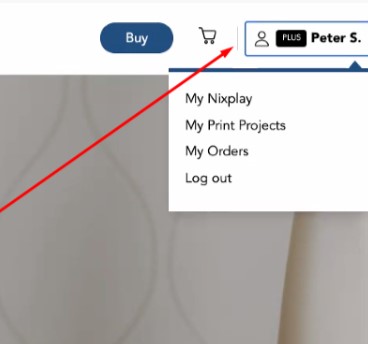
2.From the Home page click Name on the top right corner and select My Nixplay
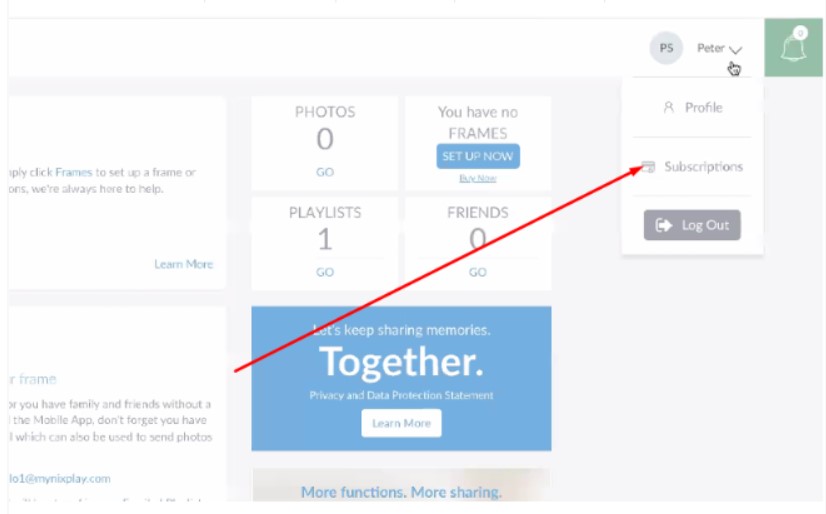
3. Once logged in click your name on the top right corner and select Subscription.
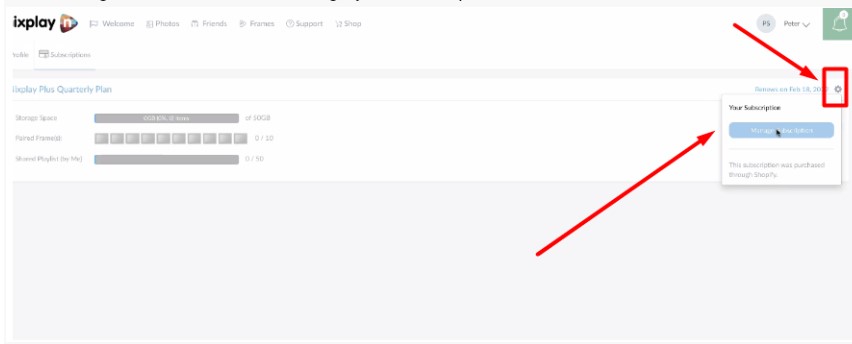
4.Click the gear icon and select Manage your subscription.
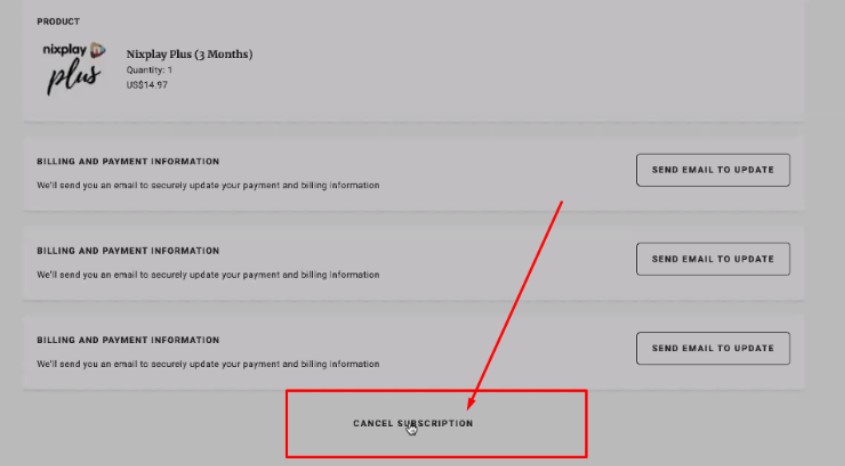
5. Select the Cancel subscription
If your subscription is paid through Google Play or App Store, please go to Google Play s & App Store to manage your subscriptions.
If the subscription was not activated, please contact the Nixplay Support Team as soon as possible via phone, live chat, or support ticket.